Routing
Lead enrichment
Enrich leads from your CRM first and Apollo second, then route on the data.
Routing works best when you know who the lead is. Before any path is evaluated, a router can look the lead up in your CRM and fill the gaps from Apollo. The result is a single, normalized set of person and company attributes, available to every rule as enrichment.* fields and stored on the lead for later.
Cauliflower uses a waterfall: Attio first, because your CRM is the source of truth for accounts you already know, and Apollo second, for the leads your CRM has never seen.
How the waterfall works
- CRM lookup. When Match against your CRM is on and Attio is connected, Cauliflower looks for a person with the lead's email and a company with the email's domain (or the company linked to the person). Personal email domains are never looked up as companies. If Attio has the person or the company, their attributes become the enrichment, with the source
attio. - Apollo. Depending on the router's Apollo setting, Cauliflower then asks Apollo for the person and their organization.
- Merge and store. CRM values always win, and Apollo only fills fields the CRM left empty. The merged result is saved on the lead and added to the routing context.
The Apollo setting lives on the router's Lead matching node, under Enrich with Apollo:
| Option | When Apollo is called |
|---|---|
| Off | Never |
| When not in CRM | Only when the CRM lookup found nothing, including when the lookup is off or Attio isn't connected. This is the default. |
| Always | For every lead. CRM values win, Apollo fills the gaps. |
When both providers contribute, enrichment.source stays attio, because the CRM record is the primary source.
If either provider returns an error, routing continues without it, and Apollo requests made during routing time out after four seconds. Errors appear on the integration's card under Integrations, and a rejected Apollo key marks the integration as Error.
Set it up
- Connect Attio, Apollo or both under Integrations. For Apollo, create an API key in Apollo under Settings → Integrations → API with access to People and Organization enrichment, and paste it into the Apollo card.
- Open a router and click the Lead matching node. Turn on Match against your CRM and choose an Enrich with Apollo option. The node's subtitle summarizes the choice, for example "Apollo when not in CRM".
- Run the router's preview with a real work email. The Enrichment card shows what was found and from where.
Admins can also check the waterfall for any email from the Apollo card with Test the enrichment waterfall. The test always calls Apollo and ignores the cache.
What gets looked up
Apollo is asked to match the person by email, with the lead's name, company and work email domain as hints. Personal email addresses and phone numbers are never requested. When the match has no organization, or the organization has no headcount, Cauliflower also enriches the organization by the work domain.
| Field | From Attio | From Apollo |
|---|---|---|
enrichment.title | Person's job title | Title |
enrichment.seniority | Seniority, such as vp or director | |
enrichment.department | First department, such as sales | |
enrichment.country, enrichment.city | Person's primary location | Country and city |
enrichment.state | State or region | |
enrichment.linkedin_url | Person's LinkedIn | LinkedIn URL |
enrichment.company_name | Company name | Organization name |
enrichment.company_domain | Company's first domain | Primary domain |
enrichment.industry | Company's first category | Industry |
enrichment.employees | Lower bound of the employee range | Estimated employees |
enrichment.revenue | Lower bound of the estimated ARR | Annual revenue |
enrichment.company_country | Company's primary location | Country |
enrichment.founded_year | Year of the foundation date | Founded year |
enrichment.technologies | Up to 50 technologies |
Two more fields describe the result: enrichment.found is true when either provider returned data, and enrichment.source is attio, apollo or empty. Ranges are converted to numbers, so an Attio employee range of "250-1K" becomes 250.
When the form didn't include a company, the enriched company name also fills the lead's company field.
Caching and credits
Apollo charges credits for each enrichment, so Cauliflower stores Apollo's own result on the lead, separately from the CRM data. When the same lead is routed again, its stored Apollo enrichment is reused while it is younger than the Reuse enrichment for setting on the Apollo card: 7, 30 (the default), 90, 180 or 365 days. This works in Always mode too, even for leads that also have an Attio record: Apollo is only called again once the stored result expires or when you force a refresh. The CRM lookup runs every time, so ownership and CRM fields are always current.
The Apollo card shows how many enrichments have been made and when the last one ran.
Where credits go
Dry runs (the router preview, dry_run requests and Handoff's evaluation) call Apollo for real but don't store the result, so testing the same new email repeatedly uses a credit each time. The waterfall test on the Apollo card always calls Apollo. Use When not in CRM if you want to spend credits only on leads your CRM doesn't know.
Enrich a lead by hand
Every lead page has an Enrichment card. It shows the source, a LinkedIn link, the person's title, seniority, department and location, and the company's name, domain, industry, employees, revenue, headquarters country and founding year, with the time of the last update.
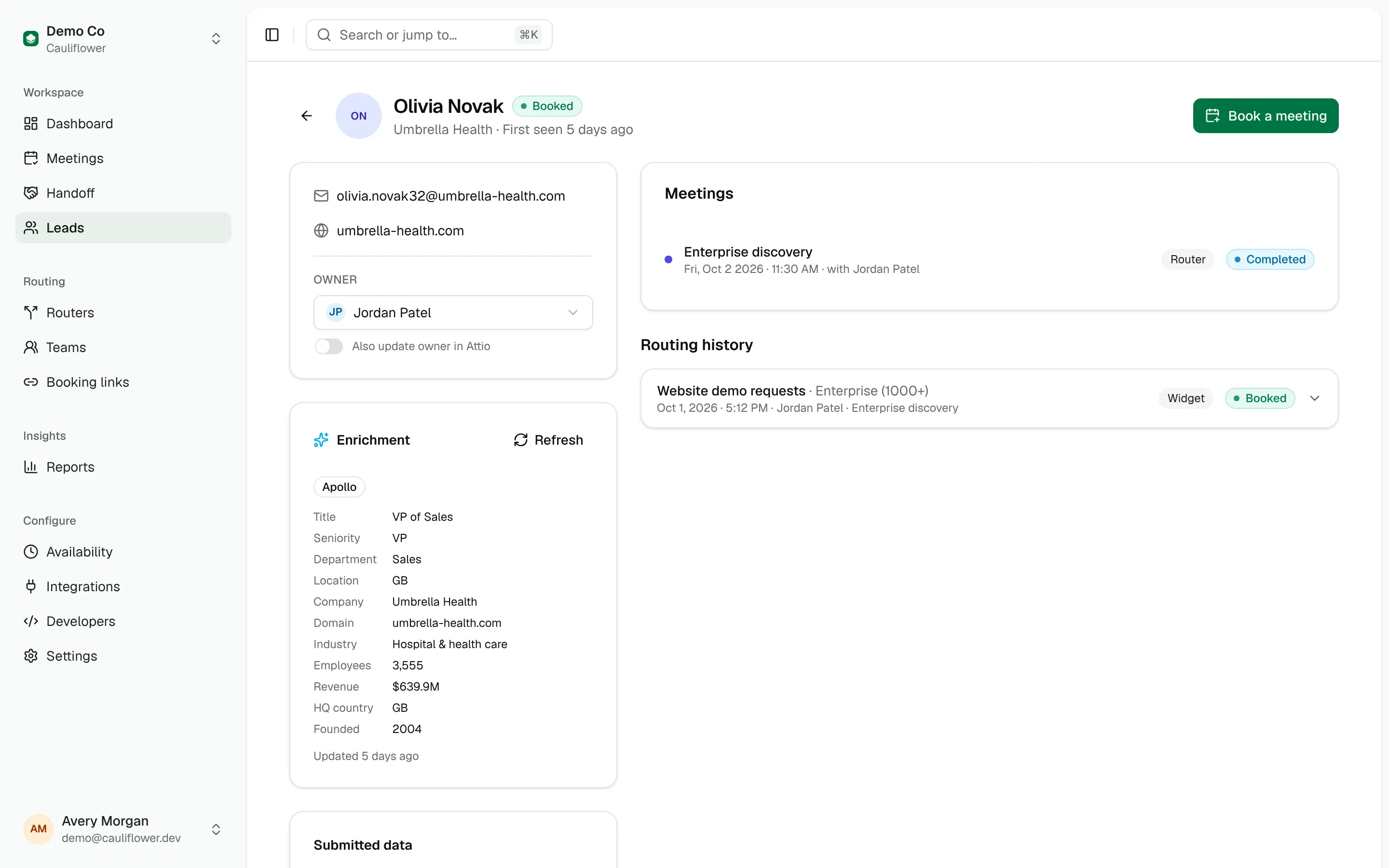
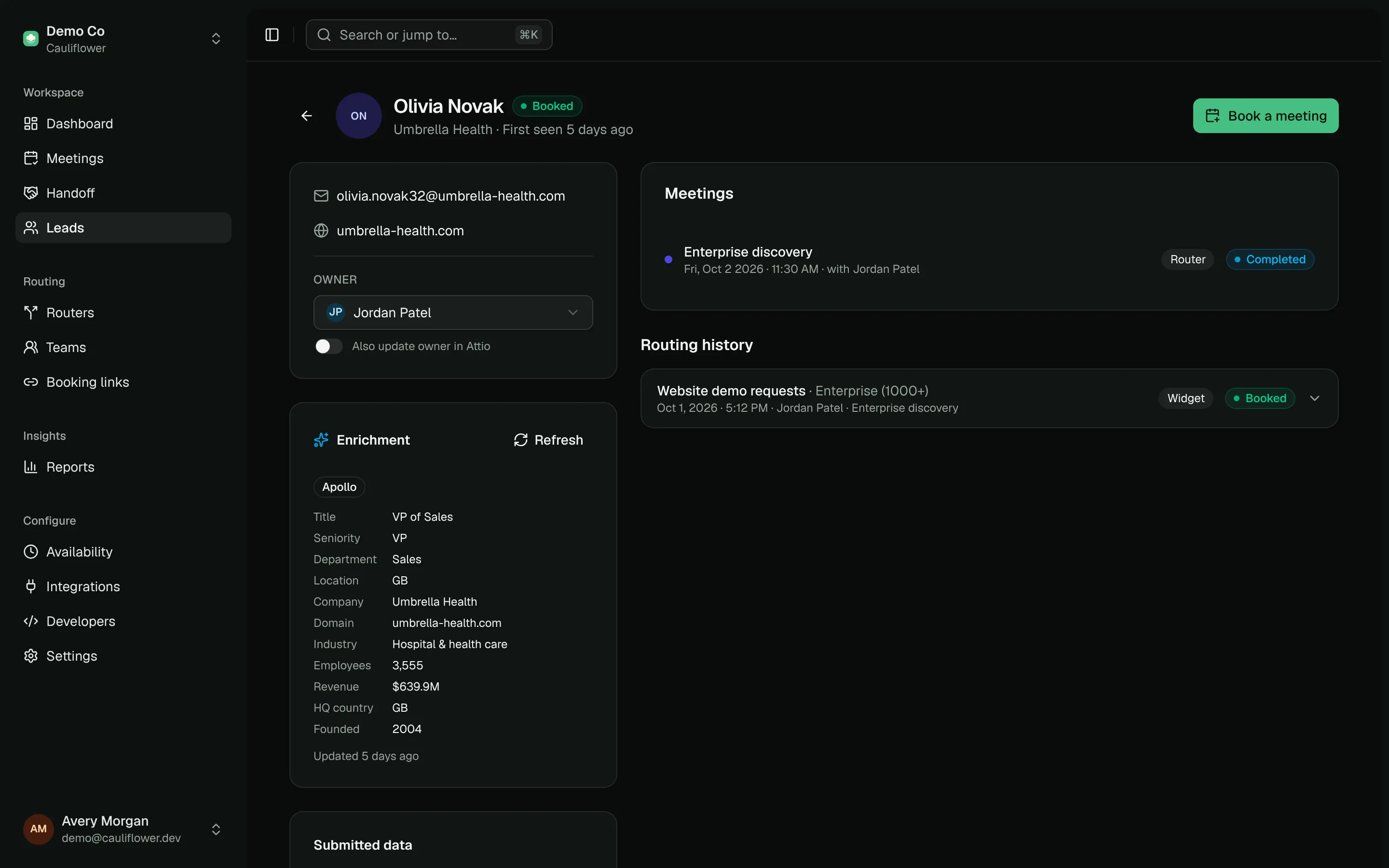
- Enrich now appears when the lead has no enrichment yet. It uses the cache like routing does.
- Refresh appears once there is data. It ignores the cache and asks Apollo again.
Manual enrichment always looks up the CRM and, when Apollo is connected, always calls Apollo, whatever the router settings. If neither provider knows the lead, you'll see "No data found for this lead" and the result is stored so you can tell the lead was checked.
Enrich over the API
The enrich_lead operation does the same from code or from an AI agent over MCP. Pass a lead id or an email, and force: true to skip the cache:
curl -X POST https://cal.example.com/api/v1/leads/[email protected]/enrich \
  -H "Authorization: Bearer $CAULIFLOWER_API_KEY" \
  -H "Content-Type: application/json" \
-d '{"force": true}'{
"lead_id": "lead_8f2k1",
"enrichment": {
"found": true,
"source": "apollo",
"title": "VP of Sales",
"seniority": "vp",
"department": "sales",
"company_name": "Acme",
"industry": "computer software",
"employees": 2400,
"enrichedAt": "2026-10-07T09:12:44.000Z"
},
"apollo_called": true
}apollo_called tells you whether credits were spent. The route_lead operation also returns the enrichment it used for its decision.
Route on enrichment
Every enrichment field is available in the condition builder under Enrichment. Some patterns:
| Path | Condition |
|---|---|
| Enterprise | Employees greater or equal 1000, showing the Enterprise AE team's calendar |
| Decision makers | Seniority is any of c_suite, vp, director, founder, owner |
| Existing stack | Technologies is any of salesforce, hubspot |
| Software companies | Industry contains software |
| Unknown leads | Enrichment found is false, sent to an SDR team for qualification |
Number comparisons fail when a value is missing, so a lead without an employee count matches neither "greater or equal 1000" nor "less than 1000". Give unknown leads their own path or let them fall through to the catch-all. Providers also format values differently (Attio may store a country as a code where Apollo uses the full name), so check the Routing context in the preview for the exact values before writing a condition.